Showing posts with label Vista. Show all posts

Wednesday, September 03, 2008

Rhythm & Hues & sushi

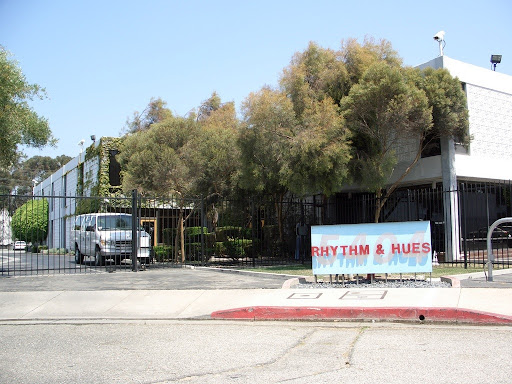
On Saturday David hooked us up with a former ILM guy who now is at Rhythm & Hues.

CIMG0268

We got a great tour, and the workspaces had a nice creative vibe that reminded me of school. I brought back some good ideas to help my poor cube back home.

Thanks, Ari!

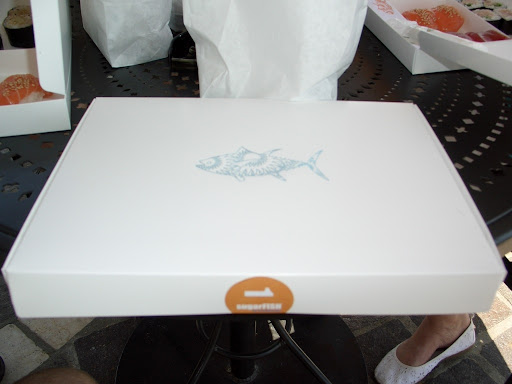
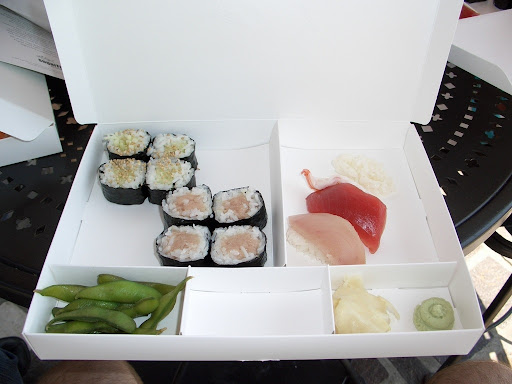
After the studio we drove over to Marina Del Rey, I believe and had some outdoor sushi from sugarFISH. A little pricier than what I'm used to, but tasty and packaged in a nice box reminiscent of bento boxes, where everything is compartmentalized. The waiter said that the box helps keep the rice from getting soggy if you took it home with you.

CIMG0270 CIMG0271

We finally started home...back to San Francisco, I mean....

CIMG0269

Whoops! No music! Slight detour to a couple of stores looking for blank CDs and then we are on our way. I had David's laptop in my, uh, lap, and thanks to him syncing up his MP3s I was able to burn them to CDs for the trip back.

Highlights? How about Terrorizing Telemarketers by Jim Florentine. Here is his site. I'm a big fan of prank phone calls, and David introduced me to The Jerky Boys as well. Great stuff!

Wednesday, April 30, 2008

Coffeeshop blogging

So I have a new laptop and it comes with an integrated camera for all your photoblogging needs as well as potentially embarrassing coffee spills. I'm at a local coffeeshop working on some, uh, work.


Once I set another laptop up for my wife, we'll be able to try video chat using Sightspeed, which from what I understand is similar to Skype video chatting, but I could be totally wrong as I've never used Skype before!

Friday, April 13, 2007

What's up with Vista Enterprise?

I've been on Vista Enterprise on my corporate laptop for a while, and a friend just got Vista Ultimate, so he's going through and finding some cool Vista tidbits.


One of them is the Snipping Tool, which looked to be in Vista Home Premium, Business, and Ultimate, but not Home Basic nor Enterprise, or so I thought. My initial reaction was confusion, as I thought Vista Enterprise was to Business as Ultimate was to Home Premium.

I mean, (performance wise) the bits are the same - the features are what define the edition.

I use the tried-and-true Alt-Prnt Scrn for screenshots/dialog captures, so I was slightly disappointed that my system didn't have what sounded like a cool program.

After some poking around, it turns out that Enterprise DOES support the Snipping Tool. As pointed out by Spaghetti, the Snipping Tool falls under Tablet PC Support, which defaults to disabled in Vista Enterprise.


After checking the box and a few moments of configuring...make that a few minutes of configuring...I'm golden! I'll definitely be using this.

But why wasn't it enabled by default? I would think that "Enterprise users" would want more productivity-increasers and would be savvy enough to not be overwhelmed by feature inundation, but who knows.

Wednesday, February 28, 2007

A .dream come true!

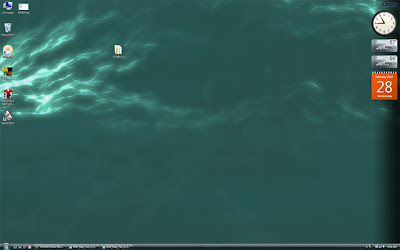
I have a laptop running Vista Ultimate, and I recently found out about Windows DreamScene. It basically allows you to have mpg or wmv files as your Vista background.

Here is a static shot of mine. Just imagine the plasma wave gently undulating as I do work.
The software for this comes in three parts.
  1. An update to Windows Vista Ultimate - Windows DreamScene.
  2. Stardock Deskscapes - a free download. This extends dreamscape files (.dream) to add dynamic content, changes over time, etc.
  3. Stardock DreamMaker - another free download. This allows you to create the actual .dream file and share them.

I already have some ideas for making some .dream files - basically animate some 3d content I already have for a quick test. This could definitely be an attention-grabber for systems at stores, kiosks, tradeshows, etc. Stardock has provided six free .dream files, and they are charging a few bucks for another one.

Go to WinCustomize for more .dream files, downloading the software or picking up some user-generated content.

Monday, February 12, 2007

New OS version

If towns around Odessa, TX, wanted to use the new Microsoft OS, as advertised in Friday Night Lights, would they use Vista Permian?

Friday, January 26, 2007

On Vista and Tags

A feature within Vista that I was really looking forward to using is Tags (sorry for the lame link - scroll down to the bottom). Tags are basically quick labels for files that one can use for organization or searching. They are already used by websites and blogging software (my blog calls them "Labels").

I thought this would be great - I could tag all my patent documents and graphics with "patent" and then I could always quickly find what I need to be working on or saved data.

Tagging is done within the Explorer in a pane below the folder, like this.


Clicking on the box after "Tags:" prompts you to select an existing tag or create your own. So far so good.

The more I played around with Tags, though, the less useful they seemed. Apparently you can't tag everything. Tag-supported files include Office files and image files - these are the ones I've tested so far. No tag support for .txt or .rtf files. Wha wha wha? I prefer to do quick documents in Textpad, not Word, so most of my quick work is untaggable.

While that's not a dealbreaker, it's a little disappointing.

I was also planning on using Tags to help me organize all my data, especially with patent files, benchmark results, etc. The more I thought about it I realized it wasn't exactly like I had wanted.

For instance, I put all patent work in a folder, \patents, with subfolders for specific projects or topics. What would be the point of me tagging all my graphics with "patent" if they are already organized in patent folders? If I needed them, I already know where they are. I'm going to have to tag with subtopics, but the files should already be in subfolders, theoretically already "tagged" by placement.

I could definitely see the benefit of being able to search for all benchmark results for AMD X2 5000+ processors (tagged as AMD, 5000, etc), but since I've done a lot of work on pre-Vista/pre-tag-enabled systems, I've named my result files with specific details in the filename to help with sending them to the correct people.

A plus for Tags is group-tagging. If I didn't want to go through and rename all my vacation photos from IMG0001 - IMG4165 to discrete names I could just select all of them and tag them "Seattle, June 2006" and move on to the next batch. I like that.

I guess it comes down to your preference - do you want to organize by folders and filenames, or by Tags? Or am I missing something? How would you use Tags, and do you think they have a benefit over foldername/filename organization?

Thursday, January 25, 2007

Corporate Vista

Two days ago I volunteered for the early adopter Corporate Vista rollout. I'm typing this from Vista as we speak. I'm still in the process of getting my data and programs back on my machine, but I'm running a mobile Precision M65, T2600 2.16GHz, 4GB RAM (3.3GB reported thanks to 32-bit OS), Nvidia Quadro FX 350M.

My Windows Experience Index is 2.0, unfortunately, with the graphics the limiting factor. I'm pretty sure that's because I'm still running the driver from the OS and haven't loaded the Nvidia driver.

My monitor is a Dell 2007FPW at 1680x1050, and Vista looks NICE. Widescreen monitors are the bomb with Vista.

Excel 2007 is pretty much the same usage-wise, and I thought I would have a harder time getting around the Ribbon, but I think I like it. I haven't had much to do with the rest of Office 2007 but I'll be sure to post it. I really like Outlook 2007, especially the calendar layout. A To-Do Bar is present within many sections of Outlook, and I like it more than previous editions.

This is all pretty subjective right now, without screenshots, but I'm almost late for a meeting. I'll try to put more as my experience grows.

Friday, December 01, 2006

A brief fling with Vista

We've been working with Vista a lot over the last few weeks for benchmarking and application compatibility, and I've really liked what I've seen. I recently decide to install it on a home test system.

It's a pretty nice system - XPS 700, E6700 2.67GHz Core 2 Duo, 2GB 667 DDR2 RAM, two 7800GTX graphics cards in SLI mode, RAID 0 striped 10k rpm drives, XP Media Center Edition, 2007FPW 20" wide aspect ratio flat panel. I was worried about the RAID driver and the graphics driver, as this is also a gaming and 3D content creation machine.

I ran a few benchmarks that I knew I could duplicate in Vista. Well, basically one benchmark - Quake 4 timedemo001. At 1680x1050, graphics maxed, 2X Anti-Aliasing resulted in ~120fps+, 4XAA ~80fps, 8XAA ~50fps (numbers from memory, but close).

The DVD RTM version of Vista Ultimate installed flawlessly and everything was supported out of the, uh, disc...no bangs. I did an upgrade to my XP MCE installation as I didn't want to reinstall Quake 4 and SketchUp, and I also wanted to see how that worked. It looked like it had a generic Nvidia graphics driver, but my resolution was supported.

The Windows Experience Index was 5.4 (lowest score was for memory), while graphics got a 5.9. WEI uses the lowest score as the base, not an average of the subsystem scores.

I ran Quake 4 timedemo001 again at 2XAA and got...~17fps. One-seven. Wilco Tango Foxtrot? Ah, the integrated driver on the Vista DVD must be software rendering only! Good thing I downloaded our latest gold driver for the 7800GTX. A few minutes later...looping bluescreen with restarts! Oh, snap!

Okay, maybe upgrading the XP wasn't the best thing to do. I entered Safe Mode and rolled back the driver...back to semi-goodness. I went to nvidia.com and downloaded the latest beta Vista drivers, yadda yadda yadda, ~56fps at 2XAA on Quake 4. Not great. I tried to whip out a quick SketchUp model to see how that performance was...and SketchUp became hung. Very nice.

Reinstalling Vista, I chose to blow away the hard drive and clean-install Vista. Still no problems with the installation, and it didn't need the F6 for the RAID drivers anymore. I didn't look into this, but I'm pretty certain the disc contained them, like a slipstreamed XP CD would. Integrated Nvidia drivers gave me the same awful performance. Loaded our gold drivers...looping bluescreen again.

I almost gave up the ghost, but I reinstalled Vista one more time and downloaded the Nvidia beta drivers. Still limping through Quake 4, and then I realized something! My graphics cards were still in SLI mode (with the bridge still in place), but I never told Vista that I wanted to enable SLI! That's where my performance bottleneck must be, right?

Fifteen minutes of scouring Vista for strangely placed graphics options led to nothing, so I went back to nvidia.com and looked at the driver details. Hmm...these are only good for RC2. I don't think that will make a difference though. A few more minutes of deep diving. Uh oh. SLI mode is not supported yet in any Nvidia driver. Plus, the drivers seem to be mostly proofs of concept, with performance taking a backseat to compatibility in Vista.

So I am faced with some options. Downgrade to a single graphics card and use Vista, but not at its highest levels of performance, or roll back to XP Media Center Edition and use SLI mode at peak performance (for my hardware).

While I really want to play with Vista more, I decided to go back to XP MCE. There are still some games I want to play, plus I want to use SketchUp, and I want to explore the Media Center aspects of the OS.

In a few days I'm getting on the corporate early adopter program for Vista at work, on my main machine, so I'll be able to kick Vista's tires on a daily basis.